To turn a product photo into a promo video, start with a sharp, well lit photo on a plain background. Ask for a 10 to 20 second vertical video with a slow turn, close up details and two or three feature callouts, keep the product, colours and logo exactly as in the photo, and end on your logo and offer.
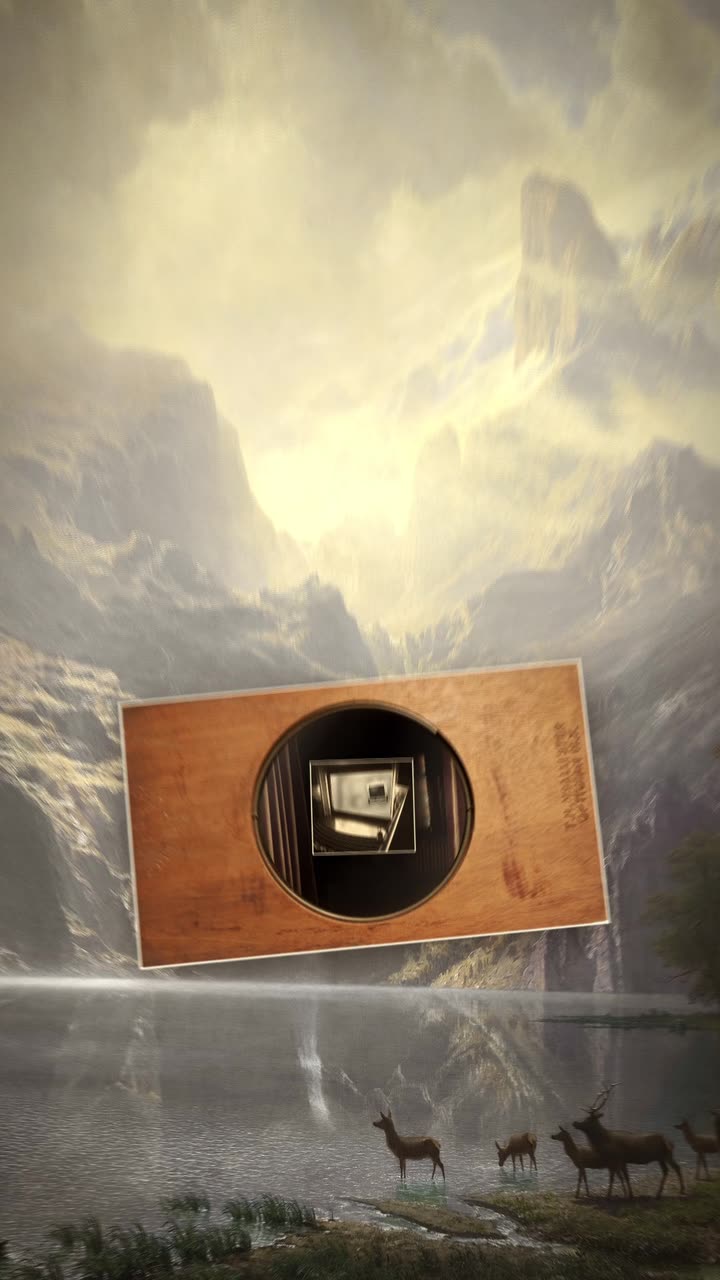
Real outputs from the Videotto template gallery.
Worked example: one photo, one 15 second product promo
This is an example to show the method, not a real brand. The input is one photo of a matte black insulated bottle on a white background, shot on a phone at full resolution.
The request: "Here is a photo of my bottle. It keeps drinks cold for a full workday, for commuters and gym goers. Make a 15 second vertical promo. Use the photo as the exact product reference. Three callouts: keeps cold all day, leak proof lid, fits car cup holders. End on my logo and the line Launching Friday."
Example: the shot list it maps to
| Time | Shot | On screen text |
|---|---|---|
| 0:00 to 0:03 | Bottle fades up from black, slow turn, light sweeping across | None, the product is the hook |
| 0:03 to 0:06 | Push in on the lid | "Leak proof lid" |
| 0:06 to 0:09 | Pull back, frost forming on the background | "Cold all day" |
| 0:09 to 0:12 | Side view, cup holder outline drawing in | "Fits your cup holder" |
| 0:12 to 0:15 | Logo end card | "Launching Friday" |
Fifteen seconds, four shots of one photo, three short callouts of three or four words each. Check the bottle's label and colour in every shot before posting.
Shots a single product photo can give you
Sellers and founders often start a product video with nothing more than a photo or two and a sentence about the product. These are the shots one image can give you, and roughly how long each holds in a short promo.
| Shot | What it shows | Typical length | How people ask for it |
|---|---|---|---|
| Hero turn | The product floating and turning slowly | 3 to 4 seconds | "floating and spinning on a black background" |
| Detail callouts | Features labelled around the product | 2 to 3 seconds each | "the details appearing from the left and right" |
| Name and spec card | Product name and key specs on screen | 2 to 3 seconds | "the name on the top right and specs bottom left" |
| Lifestyle scene | The product in a setting where it is used | 3 to 4 seconds | "someone wearing it walking down the street" |
| Launch end card | Logo, tagline, offer | 2 to 3 seconds | "end on my logo and the offer" |
What makes a product photo work for video
The video can only be as good as the photo. Camera moves and close ups enlarge parts of the image, so detail that looks fine in a thumbnail can turn soft on a phone screen.
- Resolution: the full size photo from your camera or phone, ideally 2000 pixels or more on the long side. Avoid screenshots and images saved from a website.
- Background: plain white, grey or a simple surface. Busy backgrounds are harder to replace or extend.
- Light: soft and even, with no harsh glare across the label.
- Framing: the whole product in frame with some space around it, so a slow pull back has room.
- Extra angles: a back or side photo gives more variety, but one front shot is enough to start.
Keep the product exact in the promo video
A promo that changes the product is worse than no promo. Buyers notice when the colour, shape or label in the video does not match what arrives. Tell the AI, in plain words, to use your photo as the exact product reference.
Say it for the logo too: "use the attached logo exactly, do not redraw it". If the product has text on it, check it in the final video, because small lettering is where things go wrong. Let the effects happen around the product (light, background, camera movement), not to it.
Product photo to promo video: four ways compared
The alternatives people weigh are a template tool like Canva, a manual edit in CapCut, or hiring a studio or freelancer. Times are rough estimates for one 15 second promo.
| Method | Typical time | Best for |
|---|---|---|
| Canva video template | Roughly 30 to 60 minutes | Simple text and slide motion, no 3D turn |
| CapCut, keyframed by hand | Roughly 1 to 2 hours | Zooms, pans and text you place yourself |
| Studio or freelance shoot | Days, including booking and edits | Real footage, multiple products, a big launch |
| Otto from a photo | A few minutes to describe, then a review pass | Fast versions to test before spending on a shoot |
Turn a product photo into a promo video in 6 steps
- Start with a good photo. Sharp, well lit, the whole product in frame, ideally on a plain background.
- Say what it is and who it is for. One or two sentences: the product, the main benefit and the buyer.
- Pick the length and shots. 10 to 20 seconds is plenty. Choose two or three shots from the table above.
- Write the words. Three short feature callouts of three to five words, and one line for the end card.
- Add your brand. Upload your logo, give your brand colours, and choose music that fits the mood.
- Export for each placement. Vertical first, then the other sizes from the same edit.
Product promo prompt to paste into Otto
Adapted from real requests Videotto users sent to Otto.
Here is a photo of my product: [upload]. It is [what it is], for [who it is for].
Make a 15 second vertical 9:16 promo video.
Use the photo as the exact product reference: same shape, colours, label and logo.
Show it floating and turning slowly on a black background.
Three feature callouts slide in from the left and right: [feature 1], [feature 2], [feature 3].
End on my logo with the line [tagline or offer]. Add music for a premium launch.
Shorter versions sellers use
- "Make me a clip of this lens floating and spinning, with the lens details appearing from the bottom left and right."
- "Use the uploaded image as the exact product reference."
- "Add my logo, attached, and make it in a 9:16 format."
- "Make it cool and mysterious, and add the text on top of the images too."
Promo video export sizes for each placement
Make the vertical version first, then ask for the others from the same edit.
| Where | Aspect ratio | Common size | Note |
|---|---|---|---|
| Reels, TikTok, Shorts | 9:16 | 1080 x 1920 | Keep text clear of the top and bottom |
| Instagram and Facebook feed | 4:5 | 1080 x 1350 | Takes more screen than square in the feed |
| Square placements | 1:1 | 1080 x 1080 | Product centred, larger text |
| Website and store page | 16:9 | 1920 x 1080 | Often plays muted on loop, so put the message in text |
Product promo video mistakes
- Changing the product. If the video shows a different colour or shape, buyers feel misled.
- Too much text. Three callouts beat a paragraph. People are scrolling, not reading.
- No clear ending. Finish on the logo and one reason to act, such as a launch date or an offer.
FAQ
How do I make a product video without a camera?
You can make a product video without a camera by starting from product photos, which most sellers already have. Animate them with slow turns, close ups and text callouts, add music and a logo end card. Tools range from Canva templates to manual keyframing in CapCut to AI editors that build the moves from a description.
What music can I use in a product promo video?
For a product promo video, use music you have a commercial licence for: a paid stock library, music you commissioned, or the platforms' own business libraries, such as TikTok's Commercial Music Library and Meta's Sound Collection. Trending sounds on personal accounts are often not cleared for business or ad use.
Is it okay to use an AI-made product video in ads?
An AI-made product video is generally fine in ads as long as it shows the product accurately. Ad platforms reject misleading ads, so the colour, size, features and claims must match what the buyer receives. Avoid showing results, sizes or uses the product cannot deliver, and check each platform's current rules on labelling AI content.
How many product videos should I make for a launch?
For a launch, a practical starting point is one core product video in three sizes, plus two or three versions with different openings or callouts to test. That is enough to learn which angle people respond to without spending days on edits. Make more of whatever wins.
Make your next video with Otto
Tell Otto what you want in plain words. It cuts, captions and animates the video for you.