Tool Comparisons
Why Podcasters Are Ditching Fomofly in 2026
The Best Fomofly Alternative for Podcasters in 2026

Yao Ming
Co-Founder & CEO
TL;DR
Videotto and Fomofly both turn long form video recordings into short form social clips using AI, but they are engineered for entirely different standards of quality. Videotto generates at least 40 highly polished clips per 60 minute upload, backed by a sophisticated virality score and deep reasoning logic. Fomofly is a Taiwan based clipping SaaS that automates short video creation starting at USD $18 per month for a severely limited 8 video credits. While it offers a rudimentary starting point for casual hobbyists, its rigid reframing, slow processing speed, and restrictive editing interface create massive friction for professional creators. More importantly, Videotto delivers advanced AI motion graphics that can auto jumpcut, lightning fast processing, an auto schedule feature, and a built in AI chat that features multiple editing capabilities. With Videotto, even someone not fluent in video editing can create awesome videos instantly.
Join thousands of brands growing their audience with Videotto







Transparency note: this post is published by Videotto. We build high volume AI video clipping tools for independent creators and businesses. While we provide the software to automate your post production, this guide focuses objectively on comparing the technical differences between Videotto vs Fomofly. We will examine exactly why serious podcasters require advanced AI motion graphics, superior editing capabilities, and intelligent auto scheduling to survive on modern social media platforms.
If you record a one hour podcast or a digital coaching session every week, you already possess everything you need to post high converting short form video on a daily basis. The fatal bottleneck in the modern creator economy is the 3 to 6 hours it takes a human editor to manually clip, caption, and reformat those highlights for mobile screens.
AI clipping tools solve this massive financial drain, but they definitely do not solve it equally. Creators exploring the Asian tech market often encounter Fomofly, a Taiwanese clipping SaaS that promises easy automation. However, after processing thousands of hours of uploads, our engineering team has found that focusing solely on basic automation without providing elite reframe quality fundamentally damages a creator brand. Using an inferior tool that awkwardly chops off your guest in the middle of a sentence is worse than not posting at all. This comparison covers pricing, clip yield, processing speed, and the structural differences that determine which tool is actually right for your publishing volume.
01 — Context
Why this comparison matters for podcasters in 2026
Industry Context
The distribution gap is killing podcast growth
Over 4.5 million podcasts are indexed globally, yet only 10 to 11 percent remain actively publishing new episodes. The massive gap between growing shows and stalling shows is almost always distribution, not content quality.
Short form clips currently drive 20 to 40 percent of new audience acquisition for video podcasts. Publishing your long form episode with zero vertical promotional clips is essentially publishing in secret. If no one discovers your content on TikTok or Instagram Reels, your YouTube growth will flatline completely.
Furthermore, 85 percent of social video is watched entirely without sound on mobile devices. Highly accurate auto captions and dynamic visual framing are the mandatory baseline for any clip to perform on any algorithmic platform. A podcaster billing a freelance editor at a standard rate of USD $50 per hour will easily spend USD $200 to $250 per episode strictly on manual clipping and captioning.
Both tools eliminate that manual editing cost. The real question is which tool actually protects your brand identity and saves you the most time. Subpar video quality immediately signals low authority to the viewer, which directly damages trust.
02 — Definition
What is an AI video clipping tool?
An AI video clipping tool is cloud based software that automatically analyzes a massive long form video recording to identify the highest engagement conversational moments. It physically cuts those specific moments into short vertical clips, applies dynamic text captions, reformats the horizontal footage to a 9:16 aspect ratio for TikTok, Instagram Reels, and YouTube Shorts, and exports them ready to post.
All of this happens without any manual timeline editing from the user. Unlike traditional heavy video editors such as Premiere Pro or DaVinci Resolve, these artificial intelligence tools require absolutely no editing experience and no timeline skills. You simply upload the raw file, the AI processes the conversational logic, and you review and export the polished clips.
However, the true test of an AI clipping engine is how smoothly it tracks the human face, how fast it delivers the final product, and how much control it gives you. A basic tool will just randomly slice your file and slap stiff text over it. A premium tool will act like a skilled human editor, calculating a precise virality score, applying smooth digital camera movements, and ensuring every single visual element aligns with your professional brand identity.
Quick comparison
| Feature |  | Fomofly |
|---|---|---|
| Clips per 60 min video | At least 40 | 8 to 10 |
| Reframe Quality | Advanced AI motion graphics with auto jumpcut | Rigid static centering |
| Virality Score | Deep AI reasoning and structural context | Basic keyword scanning |
| Processing Speed | Lightning fast generation | Noticeably slower rendering |
| Publishing workflow | Native auto schedule to all platforms | Manual download and upload required |
| Editing Capabilities | AI chat with multiple editing capabilities | Basic drag and drop trimming |
| Pricing from | USD $15/mo | USD $18/mo (8 credits) |
03 — Step by Step
How each tool works: step by step
Step 1: AI analysis and virality scoring
How each tool finds the best moments
Videotto features a highly sophisticated reasoning engine that scans your entire recording to surface at least 40 highly engaging clip suggestions from a standard 60 minute podcast. Every single clip is assigned a precise virality score backed by better reasoning for virality score calculations, analyzing the emotional tension, conversational pacing, and structural payoff of the dialogue. Every clip is cut at a natural conversational stopping point to ensure the narrative makes sense.
Fomofly scans through your video and struggles to find the same value. It relies on basic keyword scanning rather than deep contextual reasoning, typically generating a frustratingly small batch of 8 to 10 short clips per upload. This low yield and weak scoring logic severely caps your return on investment.
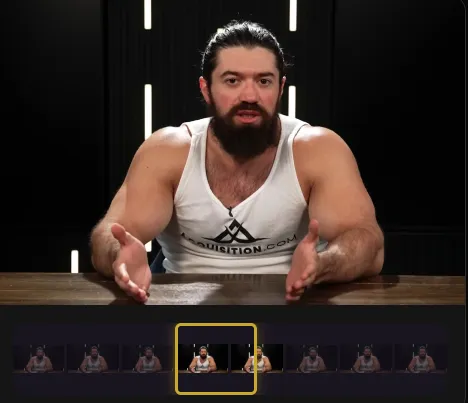
Both platforms begin the exact same way. You upload a heavy video file or paste a YouTube link, and the artificial intelligence begins processing the audio transcript. After uploading your file, the massive technical differences become immediately apparent.
Step 2: Reframing, review, and captioning
Auto jumpcut motion graphics vs. static cropping
Transforming a horizontal 16:9 video into a vertical 9:16 video requires cropping the sides of the screen. This is exactly where Videotto completely outclasses the competition. Videotto utilizes advanced AI motion graphics that can auto jumpcut based on conversational cues to keep the active speaker perfectly centered and visually engaged. Fomofly applies a very rudimentary, static crop. If your guest moves unpredictably, Fomofly often leaves them awkwardly sliced out of the frame entirely.
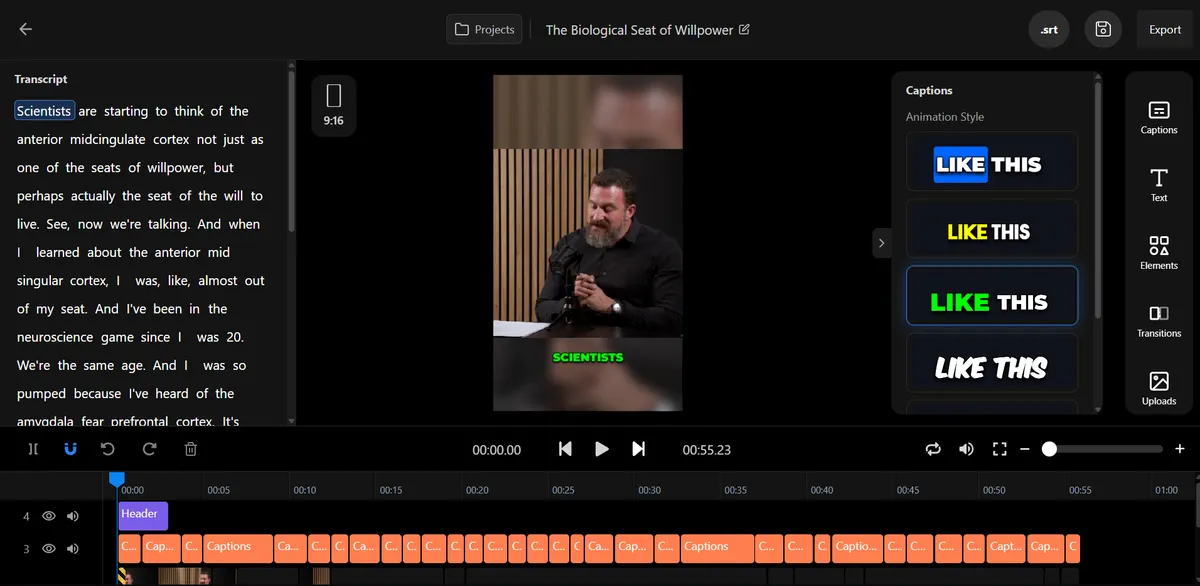
Videotto is engineered for speed. For a standard 2 minute clip, Videotto generates perfectly synced, contextually accurate auto captions incredibly fast, and you can easily adjust brand colors, fonts, and styling using our built in AI chat. Fomofly also generates stylized captions, but the processing speed is noticeably sluggish, and customizing the visual aesthetic feels incredibly restrictive compared to a dedicated design suite.
Step 3: Export and auto schedule
Export ready for every platform
Videotto exports your finished clips in a crisp 9:16 vertical resolution, fully optimized for algorithms. The true game changer is our distribution workflow: Videotto features an integrated auto schedule tool that pushes your finished clips directly to your TikTok, Instagram Reels, and YouTube Shorts queues without ever leaving the platform.
Fomofly completely lacks this crucial workflow feature. You are forced to download your heavy video files to your local hard drive and then manually upload them to each individual social platform, adding hours of unnecessary friction to your weekly routine.





04 — Key Findings
AI motion graphics, reasoning, and speed set the tools apart
After testing both tools on hundreds of podcast episodes, the biggest differentiators are editing capabilities, processing speed, and the application of AI motion graphics. The most critical factor in this entire comparison is reframe quality. When you chop a wide podcast recording into a vertical shape for a mobile phone, you lose roughly 60 percent of your visual real estate.
If your guest leans forward to emphasize a dramatic point, or talks with their hands and shifts in their seat, a basic static crop will completely ruin the video. This is exactly where the Fomofly engine falls apart: its rigid reframing logic works adequately for stationary talking heads, but totally fails to accommodate dynamic, high energy conversations.
Videotto solves this by utilizing proprietary AI motion graphics. Our engine mathematically maps the human face, actively moves the digital camera to follow the subject in real time, and can auto jumpcut between speakers seamlessly, creating a cinematic multi camera effect enhanced by gorgeous text animations and visual overlays.
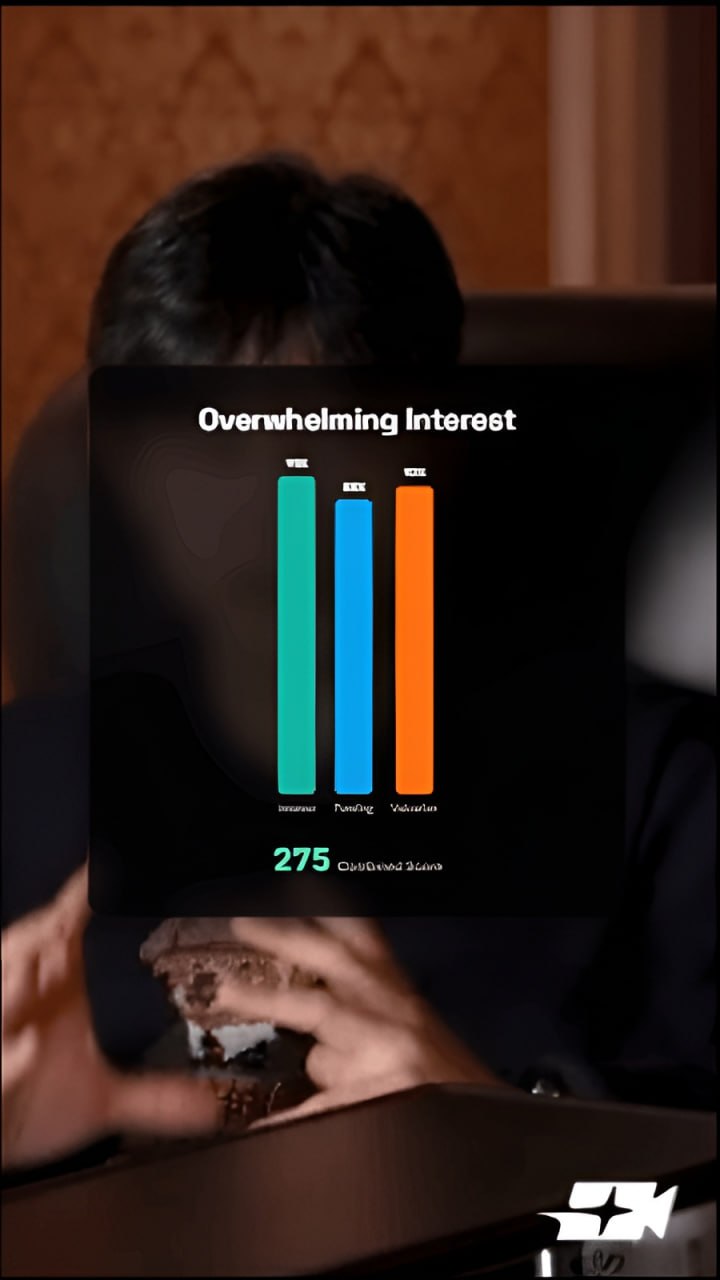
Because Videotto uses better reasoning for its virality score, you never have to second guess which video to post first. Furthermore, Videotto introduces an intuitive AI chat with multiple editing capabilities, so instead of fumbling around with complex timeline parameters, you can literally talk to the AI to restyle captions, swap layouts, or adjust clip lengths. Even someone not fluent in video editing can create awesome videos that stack millions of views.
Fomofly severely limits your creative control and operational speed. The platform offers basic trimming only. Anything beyond a simple cut requires you to download the broken clip and fix it manually in a separate editing tool.












05 — Verdict
Who should use each tool?
Consider Videotto if...
You want elite editing features, blazing fast processing, and accurate AI motion graphics
You want an intelligent AI chat with multiple editing capabilities so you can tweak clips conversationally. You want advanced visual framing that uses auto jumpcut logic to keep energetic guests perfectly centered with cinematic reframe quality. You need a reliable virality score backed by deep reasoning, and an auto schedule feature to automate your publishing calendar. You want to generate a massive volume of 40 or more assets from every hour of recording.
Consider Fomofly if...
You have incredibly basic needs and a completely stationary recording setup
You might consider this Taiwan clipping SaaS if you never move your head or body during a recording, since its basic reframing logic struggles with any real movement. However, for a starting price of USD $18 per month for a highly restrictive 8 upload credits, the lack of advanced editing control and missing auto schedule tools makes it a poor investment for most professional creators.
Try Videotto Today→
No hidden add on fees. Upload your next episode and get up to 40 branded clips with no per minute limits.
Frequently asked questions
- What is the main difference between Videotto and Fomofly?. The primary difference is the level of visual polish, processing speed, and user control. While Fomofly provides a very basic automated clipping experience that often requires external fixing, Videotto is faster than Fomofly and delivers professional grade AI motion graphics with auto jumpcut smarts to keep speakers perfectly centered. Videotto also provides an intuitive AI chat with multiple editing capabilities so even someone not fluent in video editing can create awesome videos instantly.
- Which tool has a better virality score system?. Videotto has a significantly better reasoning system for its virality score. Instead of basic keyword scanning, Videotto analyzes the conversational pacing, emotional tension, and structural payoff of the dialogue to accurately predict which clips will retain audience attention on platforms like TikTok and Reels.
- Does Videotto feature auto scheduling capabilities?. Yes. Videotto includes a built in auto schedule feature that allows you to push your finalized clips directly to your social media accounts. Fomofly requires you to manually download your videos to your computer and then upload them one by one to your distribution channels.
- How much does Fomofly cost compared to Videotto?. Fomofly pricing starts at USD $18 per month for their Creator Plan, which severely restricts you to only 8 video processing credits. Videotto offers a much more competitive starting price of USD $15 per month, providing a significantly higher yield of at least 40 clips per hour and advanced editing features without those frustrating bottlenecks.
- Can beginners use Videotto to make high quality video content?. Absolutely. Videotto is intentionally engineered so that even someone not fluent in video editing can create awesome videos. The combination of automated AI motion graphics, auto jumpcut pacing, and conversation driven AI chat controls completely eliminates the technical learning curve traditionally associated with software like Premiere Pro.
🚀
Ready to Transform Your Content?
Start creating viral clips from your podcasts today. No complex software, no steep learning curve, just results.
Setup in Minutes
Cancel Anytime
Related posts
Explore more video marketing tips, AI editing guides, and podcast repurposing strategies from the Videotto team.