An AI video editor for content creators edits from a written instruction instead of a timeline. You upload footage or paste a YouTube link and describe the edit: remove rough takes and pauses, add captions, add motion graphics in your colours, or copy a reference reel. You review the result and ask for changes in plain words.

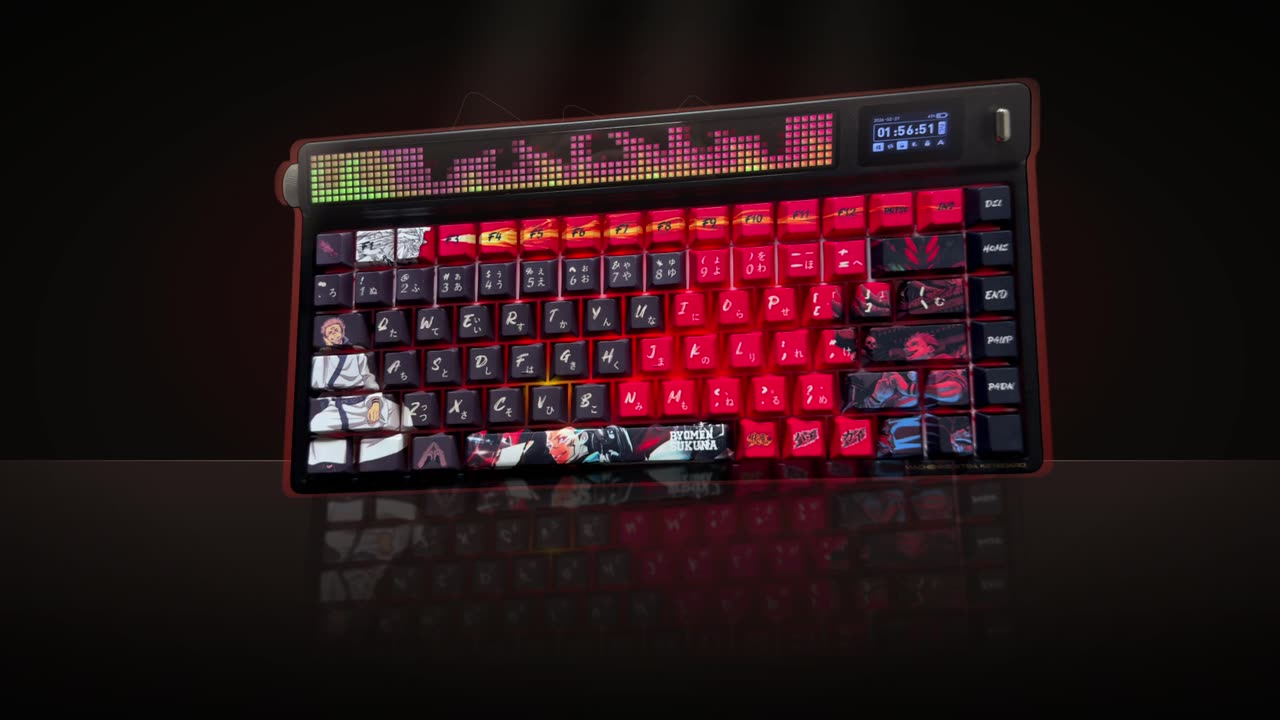
Real outputs from the Videotto template gallery.
AI video editor vs CapCut, Descript and clip tools
Creators rarely use one tool for everything, and the tools are built for different jobs. The useful comparison is not which is best, but where each one leaves you doing the work yourself.
Where each kind of tool fits
| Kind of tool | Examples | Good at | Still on you |
|---|---|---|---|
| Timeline editor | CapCut, Premiere Pro, DaVinci Resolve | Full manual control, templates and effects | Every cut, caption fix and keyframe |
| Text based editor | Descript | Editing video by editing the transcript, removing filler words | Graphics, layout and styling |
| Clip and caption tools | OpusClip, Submagic | Pulling short clips from long videos, styled captions | Edits outside their presets |
| Prompt based editor | Otto in Videotto | Describing the whole edit in a sentence: cleanup, captions, motion graphics, a reference style | Reviewing and asking for changes |
If you enjoy fine control over every frame, a timeline editor stays the right home for your long videos. A prompt based editor earns its place on the repeat work and on edits you cannot build yourself, like custom motion graphics.
Worked example: a 60 second creator reel
This is an illustrative example, not a real creator. Say you film a tip video called "3 mistakes when buying a used camera". You record about 7 minutes of raw footage on your phone, with two or three takes of most lines. The finished reel should run about 60 seconds.
The planned beats
| Time | Beat | On screen |
|---|---|---|
| 0 to 3 s | Hook: "Do not buy a used camera until you check these 3 things" | Hook text, slow punch in |
| 3 to 18 s | Mistake 1: not checking the shutter count | Callout with the number |
| 18 to 33 s | Mistake 2: ignoring sensor dust | Simple diagram of the sensor |
| 33 to 50 s | Mistake 3: no return window | Kinetic text on "14 days" |
| 50 to 60 s | Wrap up and follow prompt | Captions only |
The first prompt is the cleanup prompt below, followed by the motion graphics prompt once the cut is tight. Two follow ups are typical: "move the hook text higher so it clears my face" and "make mistake 3 shorter". By hand in CapCut, an edit like this is usually 1 to 2 hours once you count captions and graphics. With prompts, your hands-on time is mostly the two reviews.
Content creator edits you can ask for in one prompt
Clean talking head edits
Most creators record several takes of every line. The first job is removing them: the flubs, restarts, silences and dead air. Then captions, and a stronger opening if the first seconds are slow.
[upload your video]
Clean up my talking head video: remove the rough takes, flubs, restarts, silences and dead air.
Keep my natural delivery and the original order.
Start on the strongest line as a hook.
Add big engaging captions, 3 to 5 words at a time, key words highlighted.
Add a slow punch in on the important lines.
The full cleanup workflow, step by step.
Motion graphics in your colours
"Add motion graphics to my whole video" works on its own, but creators who give a colour, a font and a rule about where the speaker sits get results that look like their channel.
[upload your video]
Add motion graphics to my whole video at the key moments and key words.
Colour theme: [your hex colour]. Font: [your font].
Keep my face visible. Graphics sit around me, never over me.
Bold kinetic text for the main points, clean callouts for numbers and names.
Captions on the whole video.
Styles, placement and more prompts.
Copy a reel you love
Give the editor a reference reel with the pacing and effects you want, plus your own footage. You can keep or drop parts of it, for example "without the captions, just graphics".
[upload your video and the reference video, or paste its YouTube link]
Match the reference video: its motion graphics, pacing, framing and effects.
Cut mine the same way.
Use the same caption font and colours as the reference.
Keep my audio as the main track.
Animated data for YouTube
Business and commentary creators paste a table of numbers and ask for a short chart to drop into a video. Give the data, title, length and look, and ask for no music if it goes under your voice.
Turn my data into an animated scene for my YouTube video:
[paste your table: year and value]
An 8 second animated line chart titled "[your title]".
16:9, warm cream background, one accent colour, easy to read.
The line draws in and the last number counts up. No music.
Music, beats and sound effects
Lifestyle, pet and travel creators want energy more than explanation. Music under the voice, cuts on the beat and a few sound effects do most of the work.
[upload your clips]
Make one 30 second 9:16 video from these clips.
Add upbeat music and cut my clips on the beat.
Duck the music under my voice when I speak.
Add sound effects and punch ins at the key moments, and a hook in the first 2 seconds.
“Keep this as one full length 16:9 video. Keep every part of it and keep the original order. I only want it polished so it is more engaging to watch.”
A real Otto request, Lightly edited
Export specs for creator platforms
Ask for the format in the prompt so you do not have to reframe later. These are the common targets.
| Where it goes | Aspect ratio | Resolution | Length to aim for |
|---|---|---|---|
| TikTok | 9:16 | 1080 x 1920 | 20 to 60 seconds for most tips |
| Instagram Reels | 9:16 | 1080 x 1920 | 15 to 60 seconds |
| YouTube Shorts | 9:16 | 1080 x 1920 | Up to 3 minutes allowed, under 60 seconds is typical |
| YouTube long form | 16:9 | 1920 x 1080 or higher | Whatever the topic needs |
Content creator editing mistakes
- No brand rules. Without a colour and font, every video looks different. Put them in the prompt every time.
- Graphics over your face. Say where graphics go. Your face is why people follow you.
- Cutting the personality out. Ask to keep your natural delivery so the cleanup removes mistakes, not character.
- Music fighting your voice. Ask for the music to be ducked under speech, or no music at all.
FAQ
What is the best AI video editor for content creators?
The best AI video editor for content creators depends on the job. Timeline editors like CapCut suit hands-on editing, Descript suits transcript based cutting, clip tools suit pulling shorts from long videos, and prompt based editors suit describing a full edit in words. Many creators use two: one for control, one for speed.
How long does it take to edit a 60 second reel?
Editing a 60 second reel by hand typically takes 1 to 2 hours: cutting takes, captioning, adding graphics and music. Simple caption-only edits can take 20 to 30 minutes. With an AI video editor, most of your time moves to reviewing the result and asking for one or two changes.
How do I keep the same look on every video?
To keep the same look on every video, put your hex colour and font in every prompt, attach the same reference video each time, or ask Otto to reuse the framework from your last video. Consistent caption style and graphic placement matter more for recognition than any single effect.
Can an AI editor polish a long YouTube video without clipping it?
Yes, an AI editor can polish a long YouTube video without clipping it, as long as you say so. Ask to keep it as one full length 16:9 video in the original order, and to only remove rough takes and pauses and add captions or graphics. Otherwise it may assume you want shorts.
Should influencers film in vertical or horizontal?
Influencers who post mostly short videos should film vertical, 9:16, so nothing is lost in a crop. If you also publish long YouTube videos, film horizontal 16:9 with the subject centred and reframe to vertical for shorts, keeping the speaker in shot rather than using a fixed crop.
Make your next video with Otto
Tell Otto what you want in plain words. It cuts, captions and animates the video for you.