Tool Comparisons
Why Podcasters Are Ditching OpusClip in 2026
The Best OpusClip Alternative for Podcasters in 2026

Yao Ming
Co-Founder & CEO
TL;DR
Videotto and OpusClip both turn long-form video recordings into short-form social clips using AI, but they are built for different workflows and priced on fundamentally different models. Videotto generates at least 40 clips per 60-min upload. OpusClip produces 10 to 25 clips at USD $15 to USD $29 per month. OpusClip's Virality Score ranks clips by predicted engagement.
Join thousands of brands growing their audience with Videotto







If you record a podcast or coaching session weekly, you already have everything you need to post short-form video daily. The bottleneck is the 3 to 6 hours it takes to manually clip, caption, and reformat the highlights.
AI clipping tools solve that, but not equally. OpusClip leads with over 10 million users. Videotto is built for long-form speech content where clip yield per upload matters most. After processing thousands of uploads, we have found that OpusClip's credit model creates a ceiling that catches high-volume podcasters mid-month.
This comparison covers pricing, clip yield, and the structural difference that determines which tool is right for your publishing volume.
01 — Context
Why this comparison matters for podcasters in 2026
Industry Context
The distribution gap is killing podcast growth
Over 4.5 million podcasts are indexed globally, only 10 to 11% active. (Teleprompter.com, 2025) The gap between growing and stalling shows is almost always distribution, not content quality.
Short-form clips drive 20 to 40% of new audience acquisition for video podcasts. (NewMedia.com, 2025) Publishing with zero clips is publishing with no promotion.
85% of social video is watched without sound. (Meta, 2025) Auto-captions are the baseline for any clip to perform on any platform.
A podcaster billing a freelance editor at USD $50/hr spends USD $200 to $250 per episode on clipping and captioning. (Beverly Boy Productions, 2025) Both tools eliminate that cost entirely.
The question is which tool fits your publishing volume.
02 — Definition
What is an AI video clipping tool?
An AI video clipping tool is software that automatically analyses a long-form video recording, identifies the highest-engagement moments, cuts those moments into short vertical clips, applies captions, reformats to 9:16 for TikTok, Instagram Reels, and YouTube Shorts, and exports them ready to post, without any manual timeline editing. Unlike traditional video editors such as Premiere Pro or DaVinci Resolve, these tools require no editing experience and no timeline skills. You upload the file, the AI processes it, and you review and export the clips.
For a 2-minute clip, Videotto generates auto-captions in about 1 minute. OpusClip takes closer to 5 minutes for the same clip.
Quick comparison
| Task |  |  |
|---|---|---|
| Clips per 60-min video | At least 40 | 10 to 25 |
| Translation accuracy | Context-aware translation | Direct translation |
| Language selection | 99+ languages | 20+ languages |
| Editor features | Full timeline editor | Basic trimming |
| Pricing from | USD $15/mo | USD $15/mo (Starter) |
03 — Step by Step
How each tool works: step by step
Step 1: AI analysis and clip generation
How each tool finds the best moments
After uploading, Videotto's AI scans your entire recording and surfaces at least 40 clip suggestions from a 60-minute podcast, each cut at a natural stopping point.
OpusClip scans through your video and typically finds 10 to 25 clips from the same upload, each with a Virality Score.
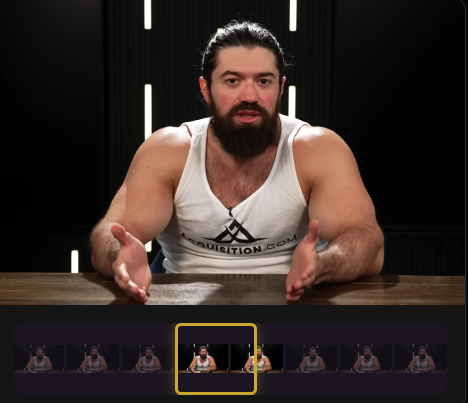
Both tools start the same way: you upload a video file or paste a link, and the AI processes it. After uploading, the differences begin.
Step 2: Review and caption
Auto-captions and clip review
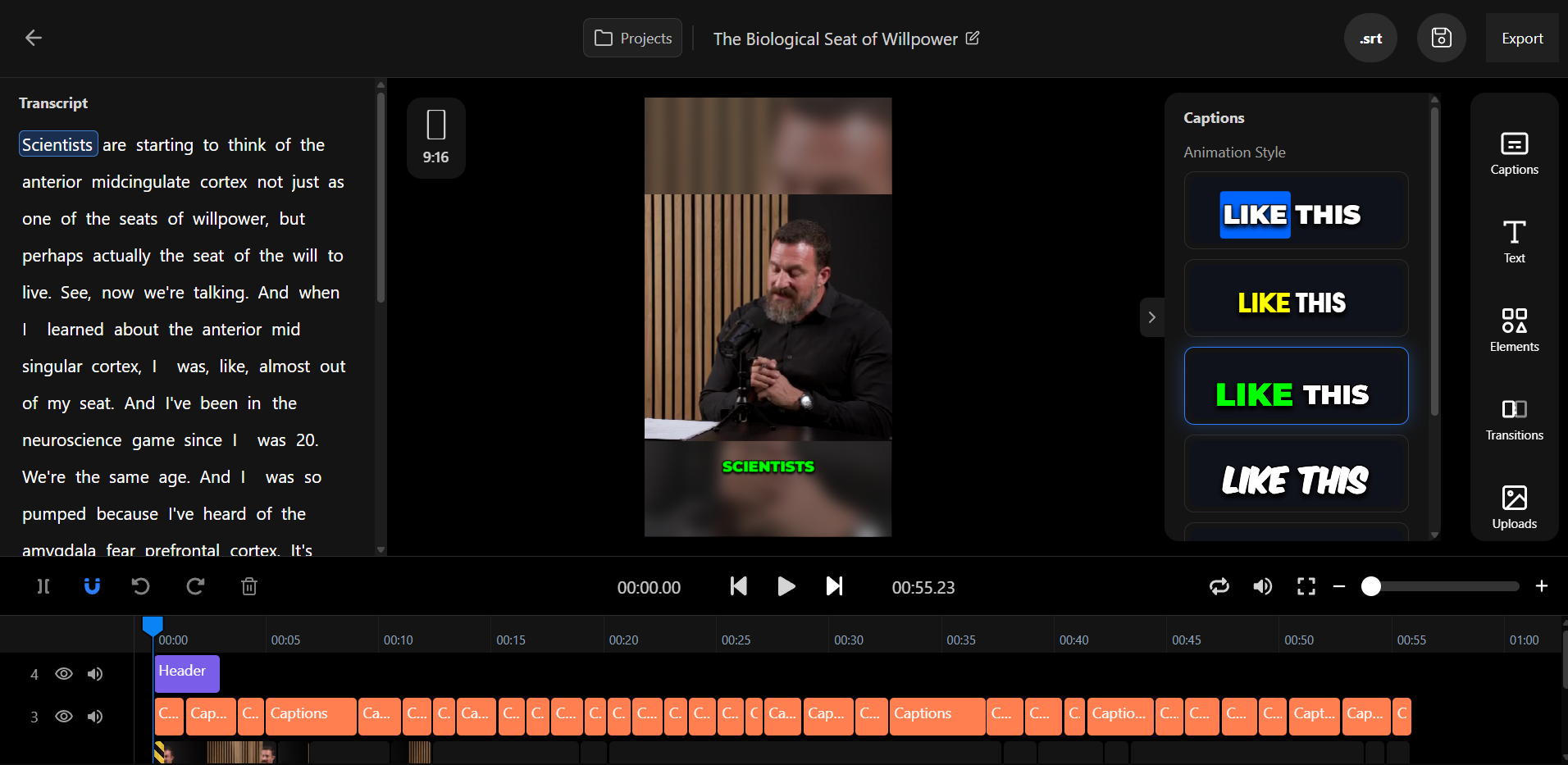
For a 2-minute clip, Videotto generates accurate auto-captions in about 1 minute. OpusClip takes closer to 5 minutes for the same clip.
Step 3: Export and publish
Export ready for every platform
Videotto: exports in 9:16 vertical for TikTok, Reels, and Shorts. Download and post to any platform you choose.
OpusClip: exports in multiple aspect ratios on Pro. Direct posting to TikTok, Instagram, YouTube, and LinkedIn on Starter and above.




04 — Key Findings
Editing power and translation set the tools apart
After testing both tools on hundreds of podcast episodes, the biggest differentiators are editing capabilities and translation quality. Videotto gives you a full timeline editor where you can trim, rearrange, and fine-tune every clip before exporting. OpusClip offers basic trimming only, so anything beyond a simple cut requires a separate editing tool.
Translation is the other gap. Videotto supports 99+ languages with context-aware translation that understands tone, idioms, and sentence structure. OpusClip supports 20+ languages with direct translation that handles straightforward content but struggles with nuance. For creators targeting multilingual audiences or repurposing content across regions, that difference determines whether translated captions read naturally or feel machine-generated.
.png)
.png)
.png)
.png)
.png)
.png)
.png)
.png)
.png)
.png)
05 — Verdict
Who should use each tool?
Consider Videotto if...
You want quality editing features and accurate translation
You need a full timeline editor to fine-tune clips before posting. You want context-aware translation across 99+ languages that reads naturally. You care about the quality of every clip, not just the quantity.
Consider OpusClip if...
You want sheer quantity of clips with virality ranking
You want as many clip suggestions as possible and prefer to sort by predicted engagement using the Virality Score. You are comfortable with basic trimming and direct translation for simpler content.
Ready to Transform Your Content?
Start creating viral clips from your podcasts today. No complex software, no steep learning curve, just results.