To make a paper collage explainer, split your script into scenes of 5 to 8 seconds, list one main cut out image and one or two supporting pieces for each, and place them on a textured paper background. Animate the pieces in three layers with slow parallax, add tape, torn edges and hand drawn marks, and keep one accent colour.

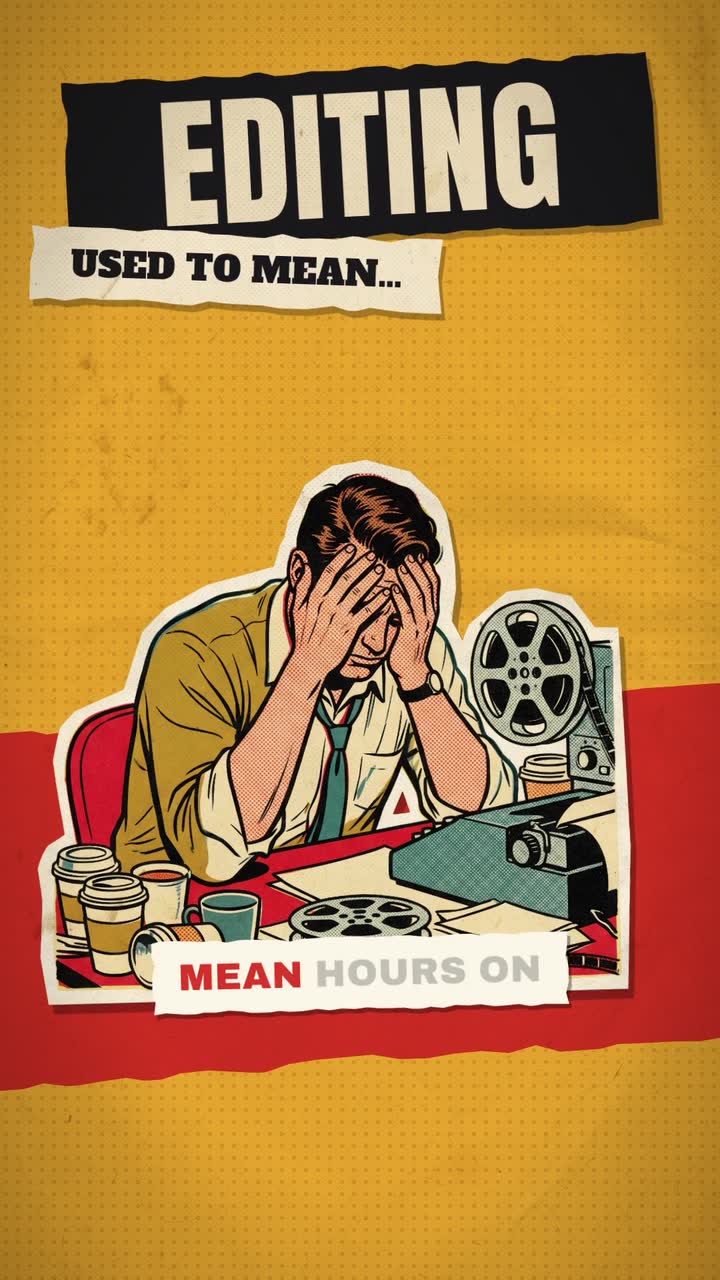
Real outputs from the Videotto template gallery.
How to make a paper collage explainer in 6 steps
A 45 second collage explainer usually has 6 to 8 scenes. Plan them on paper first and the build goes quickly.
- Write a short script. Aim for roughly 110 to 120 words for 45 seconds of narration, one idea per line. Each line becomes one scene of 5 to 8 seconds.
- List the pieces per scene. For every line, name the main image (the subject) and one or two supporting bits such as a map, a ticket, a document or an object. More than three pieces per scene starts to look cluttered on a phone.
- Bring your images or ask for them. Upload photos you own or have licensed, or ask Otto to generate images in a matching style, for example "vintage newspaper photo" or "1970s postcard".
- Set the paper and one accent colour. Cream, kraft brown or newsprint for the ground, plus a single accent such as red or blue for circles, underlines and labels.
- Add the voice. Upload your own voiceover or ask for an AI voice that suits the tone. Warm and curious works better than a hard sell for this style.
- Review the motion with and without sound. Collage should feel placed by hand, not frantic. Slow anything that jitters and check every label is readable on a phone held at arm's length.
Paper collage explainer prompt for Otto
Adapted from real requests Videotto users sent to Otto. Paste your script where it says, then adjust the length and colours.
Turn this into a finished paper collage explainer, vertical 9:16, about 45 seconds.
Script: [paste your script]
Textured cream paper background with a faint grid.
Cut out photos with a white border and soft shadow, torn paper edges, tape and halftone texture.
Labels on paper strips in a typewriter style. One red accent for highlights and hand drawn arrows.
Pieces slide in on separate layers with slight parallax and settle with a small bump.
A warm, curious AI narrator. Soft paper rustle sounds when pieces land, low music.
Shorter paper collage prompts
- "Make it into a full paper collage explainer and remove the original video."
- "Use cut out photos and a red marker circle on the key detail."
- "Generate the images in a vintage newspaper style."
- "More layers and parallax, less sliding."
Worked example: a 45 second collage explainer
This is an illustration of how one short script breaks down into scenes, not a real customer project. The topic is why a fishing town turned into a tourist town.
| Time | Narration | Pieces on screen |
|---|---|---|
| 0 to 6 s | "In 1950 this harbour had 200 fishing boats." | Old harbour photo on a sea chart, a tape strip with "1950" |
| 6 to 12 s | "By 1980 it had twelve." | Same photo, boats fade, a red circle draws around the empty quay |
| 12 to 19 s | "The fish had moved further out to sea." | Cut out fish slide off the chart to the right, an arrow follows |
| 19 to 26 s | "Then a new road reached the town." | Road map piece slides up, a car cut out moves along it |
| 26 to 34 s | "Hotels went up where the net sheds stood." | Postcard of a hotel layered over a torn net shed photo |
| 34 to 45 s | "Today the boats carry tourists, not fish." | Modern photo with a stamp reading "now", hold for 3 seconds |
Six scenes, two or three pieces each, and the year labels do the counting for the viewer. The last scene holds a little longer because it carries the point. Total narration is about 50 words, which leaves room for pieces to land between lines.
What makes a paper collage explainer look right
Collage is about texture and depth. Everything should feel as if it was cut, placed and photographed, even when it was generated.
| Detail | Looks handmade when | Looks fake when |
|---|---|---|
| Cut out edges | A white border, slightly uneven, with a soft shadow | Pixel sharp edges with no border, like a sticker |
| Angles | Pieces sit 2 to 5 degrees off straight | Everything is perfectly level |
| Layers | Paper moves slowest, photos faster, labels fastest | Every layer moves at the same speed |
| Motion | Slightly stepped, like stop motion at 12 frames per second | Smooth, bouncy easing on every piece |
| Marks | Marker circles and arrows that draw on over about half a second | Vector arrows that pop in fully formed |
| Texture | Paper grain, halftone dots, a little tape glare | Flat colour backgrounds |
A useful way to plan each scene is three layers. The ground is the paper plus a large background piece that barely moves. The subject is the cut out photo the line is about, which slides in and settles. The marks are labels, arrows, stamps and dates that arrive last and point the eye.
Paper collage tools compared
You can build this look by hand. These are typical effort estimates for a 45 second piece with six scenes, assuming you already have the script and images.
| Method | How it works | Typical time |
|---|---|---|
| Real paper and a camera | Print, cut and shoot frame by frame as stop motion | A full day or more |
| Photoshop plus After Effects | Cut out in Photoshop, add texture, animate layers and parallax in After Effects | Roughly 4 to 8 hours |
| Canva or CapCut | Cut out with background removal, stack layers, use simple slide animations | Roughly 2 to 3 hours, limited parallax |
| Otto | Paste the script and style prompt, then ask for changes | A first draft from one prompt, then a few minutes of follow up requests |
The manual route gives you exact control of every piece, which matters if a client signs off frame by frame. For a weekly series, the time per episode is usually what decides it.
Fixes for a paper collage that looks off
| Problem | Fix |
|---|---|
| Pieces look like digital stickers | Ask for a white cut border, soft shadow and paper texture on every piece |
| The frame feels cluttered | Cut to two or three pieces per scene and make the subject at least a third of the frame |
| Motion feels frantic | Slow the slides, remove bounce, and let each piece settle for a second before the next arrives |
| Labels are unreadable on a phone | Use 3 to 5 words per label and a larger typewriter size, away from the bottom 15% of the frame |
| Image rights are unclear | Use your own photos, licensed images or generated ones, and avoid copying a known artist's collage |
FAQ
What is a paper collage animation style called?
A paper collage animation style is usually called cut out animation, collage animation or mixed media animation. It comes from stop motion work where paper shapes and photo cut outs were moved a little between frames. Today most collage explainers are made digitally, with textures and slightly stepped motion added to imitate the original handmade look.
How do you make cut out photos look like real paper in a video?
To make cut out photos look like real paper, give each one a slightly uneven white border, a soft drop shadow and a faint paper grain. Tilt pieces a few degrees off straight and add small imperfections such as a tape strip or a crease. Halftone dots on printed photos also help, because they mimic newsprint.
What frame rate should a stop motion collage use?
A stop motion collage often uses an effective rate of 12 frames per second, even when the video itself exports at 24 or 30. Holding each drawing for two frames gives the stepped, slightly jerky motion that reads as handmade. Smooth motion at the full frame rate tends to look like a digital slideshow instead.
Can I use old newspaper photos in a collage explainer?
You can use old newspaper photos in a collage explainer only if they are in the public domain or you have a licence. Age alone does not make a photo free to use, and copyright terms differ by country. Archives often mark the rights status of each item, so check it before you download.
How long should a paper collage explainer be for social media?
A paper collage explainer for social media works well at 30 to 60 seconds, which is six to ten scenes of 5 to 8 seconds each. On YouTube a longer essay of 5 to 10 minutes can hold up if the script is strong, but the scenes should still change every few seconds.
Make your next video with Otto
Tell Otto what you want in plain words. It cuts, captions and animates the video for you.