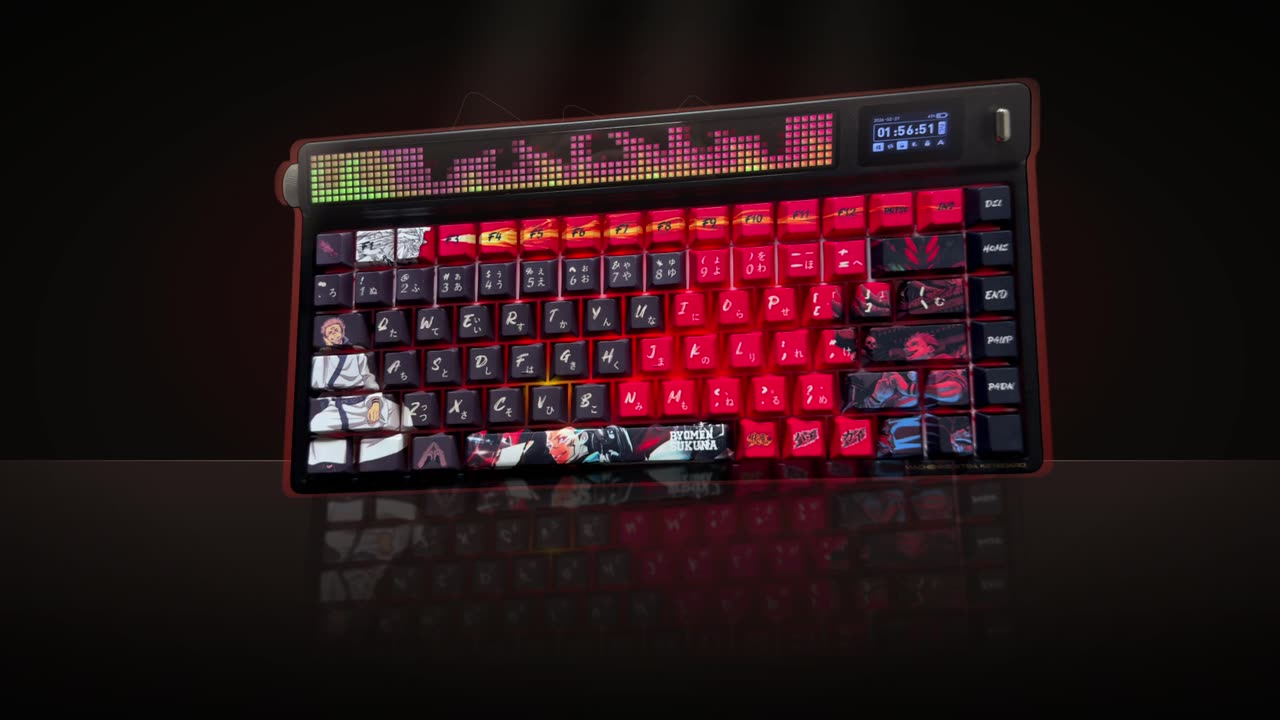
An AI video editor for podcasters takes a full episode, finds the moments that stand alone and cuts them into vertical clips with every speaker in frame, captions and optional B-roll or concept visuals. It can also translate captions and shorten long interviews. You paste the YouTube link or upload the file and describe what you want.

Real outputs from the Videotto template gallery.
What an AI video editor makes from one podcast episode
Podcasters ask for clipping more than anything else, and the shortest prompt is also the most common: "Find the best clips in my podcast." What they add next shows what matters: framing, captions, visuals and language. One episode can feed several formats.
| Output | Typical length | Where it goes |
|---|---|---|
| Best moment clips | 30 to 60 seconds | TikTok, Reels and YouTube Shorts |
| Cinematic shorts with B-roll | 30 to 60 seconds | Shorts and Reels, for a premium look |
| Concept visual clips | 45 to 90 seconds | Any feed, for shows that explain ideas |
| Clips with translated captions | Same as the source clip | Audiences in another language |
| Tight interview cut | 1.5 to 2 minutes | YouTube, LinkedIn or a newsletter |
Podcast editing time and cost: by hand, freelancer or AI
Clipping a one hour episode by hand in Premiere Pro, CapCut or Descript typically takes 3 to 5 hours for a batch of clips: scrubbing for moments, cutting, reframing two or three people to vertical, and captioning. That is fine once. Every week, it competes with booking guests and recording.
Rough comparison per episode
| Option | Your time | What you pay | Watch out for |
|---|---|---|---|
| Edit it yourself | Roughly 3 to 5 hours | Software only | Clips slip when the week gets busy |
| Freelance editor | About 30 to 60 minutes of briefing and review | A rate per clip or per hour that varies widely by country | Turnaround of days, and a new editor means a new brief |
| AI video editor | Writing a prompt and reviewing, often under an hour | A subscription | You still judge which clips are good |
Freelancers are worth it when you want someone else to own the taste and the publishing. An AI video editor fits when you want to keep control and just lose the mechanical hours.
How the two options compare on cost.
Podcast clip prompts by goal
Best moment clips with every speaker in frame
Ask for clips that stand alone and end on a complete thought. Then say how to frame the speakers, because a center crop of a wide shot cuts someone out.
[paste the YouTube link or upload the episode]
Find the 6 best clips in my podcast, 30 to 60 seconds each.
Each clip covers a different topic and makes sense on its own.
Start at the good part, no intros or slow lead ins.
9:16, close up on whoever is talking, follow the speaker every second.
Big engaging captions, white text with the spoken word highlighted.
Put the podcast name on screen.
Picking moments, framing two speakers, hooks and more.
Cinematic shorts with B-roll
Sixty seconds of a talking head can feel flat. Ask for kinetic typography and relevant B-roll over the speaker, with a rule not to overdo it.
[paste the YouTube link or upload the episode]
Edit this into vertical shorts for YouTube Shorts, TikTok and Reels.
Professional, modern, cinematic. Dark premium look.
Animated kinetic typography on the key lines and automatic captions.
Add relevant B-roll on the moments that describe something, but do not overuse it.
Keep the speaker on screen most of the time.
Concept visuals for big ideas
Business, finance and self improvement shows explain ideas. A chart, a diagram or a visual metaphor makes a clip easier to follow.
[paste the YouTube link]
Clip the best moment where an idea is explained, and add stunning motion graphics to visualise the concept.
Use visual metaphors and simple diagrams that build as the speaker talks.
Show the animation full screen without hiding the speaker for long.
Add supportive background music, low under the voice.
Captions in another language
Record in one language, reach another audience: ask for translated captions, or both languages stacked.
[paste the YouTube link or upload the episode]
Find the best clips in my podcast.
Translate the captions into [language], tightly synced to the speech.
Highlight the most surprising words.
Also write a short thumbnail text and a post caption in [language] for each clip.
Tighter long interviews
A long interview that feels draggy can become a 2 minute version that keeps the story and drops the slack.
[upload the interview]
This interview feels too long and slow. Make it exciting and keep it to 1.5 to 2 minutes.
Keep the complete story in order. Remove pauses, repeats and side topics.
Captions with a small background, not a big black box.
“Make the first 1 to 3 seconds extremely engaging. Start with the strongest statement or the most intriguing sentence.”
A real Otto request, Lightly edited
Worked example: a 55 minute two host episode
An illustrative example, not a real show. Two hosts record a 55 minute episode on a wide 16:9 camera, sitting side by side. The goal is six shorts for the coming week.
- Prompt. The best moment prompt above, asking for 6 clips of 30 to 60 seconds with a close up that follows whoever is talking.
- Review. Six clips of about 45 seconds take under 10 minutes to watch. One clip starts with "so going back to what you said", so it gets replaced with a request for a different topic.
- Fix. One follow up: "In clip 2 keep both hosts in frame during the argument, then go back to following the speaker."
- Extras. In the same chat, a short title and a one line post caption for each clip.
- Schedule. One clip a day, Monday to Saturday, leading into the next episode.
The hands-on time in this example is around 30 to 45 minutes for the week of clips, against a typical 3 to 5 hours by hand.
Podcast clip mistakes
- Losing a speaker. A static crop of a wide shot cuts people out. Ask for everyone in frame or a crop that follows the speaker.
- Visuals that hide the host. People follow a show for its voices and faces. Ask for the speaker to stay visible between visuals.
- Clips that need the episode. If a clip starts with "like I said", it will not work alone. Ask for self contained moments.
- Music over the conversation. Keep background music low, or remove it, so every word is clear.
- Clipping a show you do not own. Clip your own episodes, or shows that gave you permission.
FAQ
How many clips should I make from a one hour podcast?
From a one hour podcast, most shows can pull 5 to 10 clips that stand on their own, depending on how focused the conversation is. Posting one a day covers a week between episodes. Quality matters more than count: three clips with clear payoffs usually beat ten that need context from the episode.
How long should a podcast clip be?
A podcast clip for TikTok, Reels or Shorts is usually best at 30 to 60 seconds: enough for a question and a full answer. Funny reactions can be shorter. YouTube Shorts accept up to 3 minutes, so a strong story can run longer, but it must hold attention the whole way.
What size should podcast clips be for social media?
Podcast clips for TikTok, Instagram Reels and YouTube Shorts should be vertical 9:16 at 1080 x 1920 pixels. For LinkedIn or X, square 1:1 at 1080 x 1080 also works. If you film wide, reframe so the person speaking stays in shot instead of using a fixed center crop.
Do podcast clips need captions?
Podcast clips need captions because many people scroll with the sound off, and a clip of two people talking makes no sense on mute. Big, high contrast captions of 3 to 5 words at a time, with the key word highlighted, are the common style. Keep them clear of the bottom of the frame.
Is it worth putting a podcast on YouTube as video?
Putting a podcast on YouTube as video is usually worth it if you can film it, because the full episode and the clips cut from it can both be found through YouTube search. Even a single wide camera is enough to start, since vertical clips can be reframed from it.
Make your next video with Otto
Tell Otto what you want in plain words. It cuts, captions and animates the video for you.