To make an infinite zoom video, list six to ten scenes where each one contains the next, like a painting inside a room inside a screen. Keep one constant push forward through a frame, window or screen in every scene, use one visual style, land each new scene on the music beat, and match the last frame to the first.
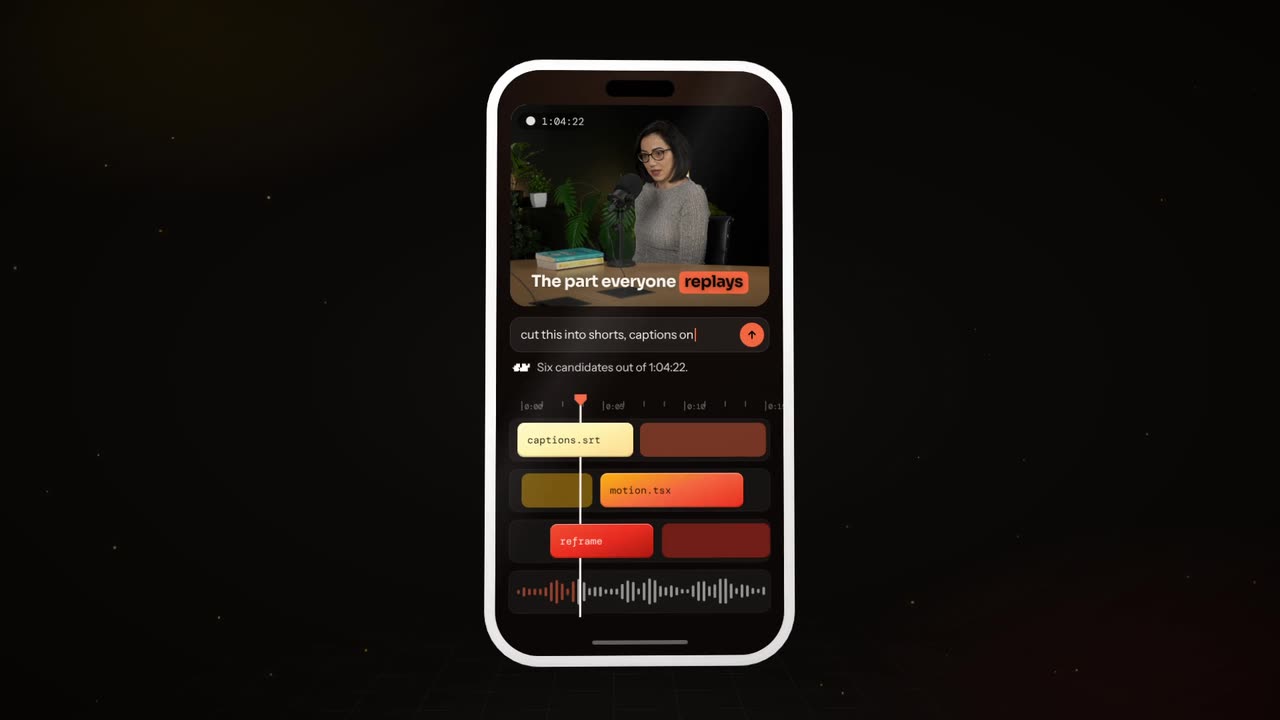
Real outputs from the Videotto template gallery.
When an infinite zoom is the right format
An infinite zoom works when there is a chain with an idea behind it, so the dive tells a small story. It is a weaker choice when you need to explain something in detail, because nothing stays on screen long enough to read. Good chains look like this.
- Screens through time. A painting, a magic lantern, a cinema, a CRT television, a camcorder, a phone. A history of moving pictures in one shot.
- Scale. A city, a street, a window, a desk, a coin, the face on the coin. Each level smaller than the last.
- A product's journey. A field, a factory, a shop shelf, a box, the product, someone using it. Strong as an ad, because it ends on the product.
- Inside an idea. A brain, a thought bubble, a sketch, the finished thing. Good for studios and creative brands.
If you want continuous motion through different spaces without the zoom, a one shot motion video that glides sideways between scenes is the sister format.
How to make an infinite zoom video in 6 steps
- Pick a theme for the chain. History of a thing, a journey, a product story. "Vintage objects that show pictures" is a reliable one.
- List the scenes in order. Six to ten scenes for a 15 to 30 second short, which gives each stop 2 to 3 seconds.
- Name the doorway in each scene. Say what the camera flies through to reach the next: a screen, a window, a lens, a picture frame. Big, bright doorways read best on a phone.
- Set one style. Realistic, collage, illustrated or neon. One description for the whole chain, or it turns into a slideshow.
- Add music with a clear beat. At 120 BPM a beat lands every 0.5 seconds, so a new scene every 4 or 6 beats (2 or 3 seconds) feels planned.
- Close the loop. Ask for the final scene to dissolve into the first frame so it repeats with no visible jump.
Infinite zoom by hand vs AI outpainting vs Otto
There are three common ways to build one. Times are typical estimates for a 20 second, eight scene chain.
| Method | How it works | Typical time |
|---|---|---|
| After Effects or Premiere Pro | Each image is nested inside the doorway of the one before, and the scale is animated exponentially so the speed feels constant | Roughly 4 to 8 hours, plus making the images |
| AI outpainting (Midjourney Zoom Out, Stable Diffusion with Deforum) | Each frame is extended outward, then the sequence is played in reverse as a zoom in | Roughly 2 to 5 hours of generating, picking and stitching |
| Otto | Describe the chain, the doorways and the style in one prompt | A first draft from one prompt, then a few minutes of follow up requests |
The manual route has one trap worth knowing: a linear scale animation looks like it slows down as it goes. Because each scene is the same fraction of the one before, the scale has to multiply by the same factor every scene (for example 4x per scene if each doorway fills a quarter of the frame width). Outpainting gives a dreamlike drift but tends to wander in style, so expect to regenerate frames.
Infinite zoom prompt for Otto
Adapted from real requests Videotto users sent to Otto. Replace the scene list with your own chain.
Make a looping infinite zoom video, vertical 9:16, about 20 seconds.
Fly through these scenes in order, each one hidden inside the previous: [scene 1], [scene 2], [scene 3], [scene 4], [scene 5], [scene 6].
In every scene the camera dives through a screen, window or frame into the next one.
Realistic collage photos, the same warm grade throughout.
A constant push forward that never stops. Each new scene lands on the music beat.
The last frame matches the first exactly, so it loops.
Upbeat music with a clear beat, soft whoosh on each dive.
Shorter infinite zoom prompts
- "Continue the video exactly from the final frame, an extreme zoom toward the Moon."
- "Zoom from space down to my shop's front door."
- "Every transition goes through a TV screen."
- "Make it loop perfectly."
Worked example: a 20 second "history of screens" zoom
An illustration of a full chain at 120 BPM, with a new scene every 4 beats (2 seconds) and the loop closing on the opening frame.
| Time | Scene | Doorway into the next |
|---|---|---|
| 0 to 2 s | An oil painting in a gallery | The window in the painting |
| 2 to 4 s | A candlelit room with a magic lantern | The projected image on the wall |
| 4 to 6 s | A 1920s cinema audience | The silver screen |
| 6 to 8 s | A 1960s living room | The CRT television |
| 8 to 10 s | A 1980s bedroom | The camcorder viewfinder |
| 10 to 12 s | A 1990s family party | The computer monitor |
| 12 to 14 s | A 2000s office | A flip phone screen |
| 14 to 17 s | A modern phone in someone's hand | The phone shows a gallery wall |
| 17 to 20 s | The gallery and the same oil painting | Dissolves into the first frame |
Nine stops, one warm grade and one kind of doorway (a screen or image) all the way through, which is what makes the chain feel inevitable. For an ad, swap the last two scenes for your product and logo before the loop.
Infinite zoom checklist before you post
- The camera never pauses between scenes.
- Every scene uses the same style and colour grade.
- Each doorway fills at least a quarter of the frame when the dive begins, so viewers see where they are going.
- No more than one new scene every 2 seconds. Fifteen stops in twenty seconds is a blur.
- Scene changes land on the beat.
- The final frame matches the first, checked by playing it on loop three times.
- Any text or logo sits in the centre of the frame, clear of the top and bottom app buttons.
FAQ
How do you make an infinite zoom with Midjourney?
To make an infinite zoom with Midjourney, generate a first image, then use its Zoom Out option repeatedly so each new image contains the previous one in the centre. Export the sequence, then in a video editor scale each image up into the next and play the chain in reverse, so it reads as a zoom in. Matching styles between steps takes some regenerating.
What is the Droste effect?
The Droste effect is a picture that contains a smaller copy of itself, which contains a smaller copy again, in a loop that seems to go on forever. It is named after a Dutch cocoa tin that showed a nurse holding the same tin. Infinite zoom videos use the same idea, often with a different scene at each level.
Why does my infinite zoom slow down or speed up?
An infinite zoom slows down or speeds up when the scale is animated linearly. Each scene is a fixed fraction of the one before, so the zoom needs to multiply the scale by the same factor per scene. In After Effects, use an exponential scale expression or keyframe the scale on a log curve so the push feels constant.
How long should an infinite zoom video be?
An infinite zoom video works best at 15 to 30 seconds for social media, with six to ten scenes of 2 to 3 seconds each. Shorter loops get rewatched more easily, which suits Reels and TikTok. A longer zoom of a minute or more can work on YouTube when the chain tells a clear story from start to finish.
How do you make an infinite zoom loop seamlessly?
To make an infinite zoom loop seamlessly, make the last scene contain the first one, then end the zoom at exactly the framing and scale where the video started. Keep the camera speed constant through the final cut, and avoid a fade to black. Test by playing the export on repeat several times and watching for any jump.
Make your next video with Otto
Tell Otto what you want in plain words. It cuts, captions and animates the video for you.